How to Buy GLM, Kimi, and MiniMax Plans Safely: 6 Mistakes That Cost Money
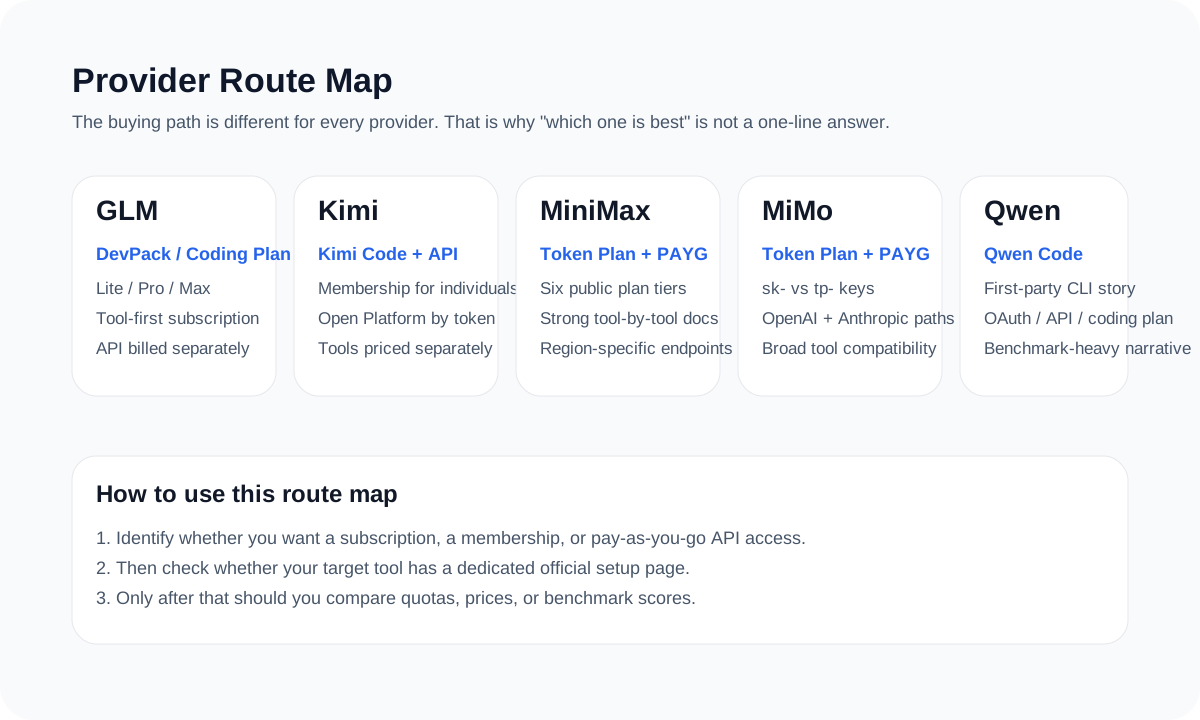
The biggest buying mistake is not overpaying. It is buying the wrong route, wrong key, or wrong endpoint. If you can tell membership, Coding Plan, Token Plan, and PAYG API apart before checkout, most expensive mistakes disappear.
- The first check is always route, not price.
- Search results often mix current pages with old screenshots and old pricing pages.
- Key type, endpoint, and billing route should all be verified before checkout.
- Social posts and benchmark cards can help readers narrow the field, but they should never replace the current official page.
Mistake 1: treating four different products like one price table
Membership, Coding Plan, Token Plan, and PAYG API are not the same product. Kimi Code, GLM Coding Plan, MiniMax Token Plan, and platform API pricing solve different problems even when they all sound like “AI coding access.”
| Product type | Typical example | Best for |
|---|---|---|
| Membership | Kimi Code | Personal coding workflows with official clients |
| Coding Plan | GLM Coding Plan | Tool-first subscription use in supported coding tools |
| Token Plan | MiniMax Token Plan | Budget-locking subscription use with broader multimodal value |
| PAYG API | Moonshot, MiniMax, Z.AI, MiMo API routes | Platform and product integration with usage-based billing |
Mistake 2: trusting the wrong page in search
Search results often surface old pricing screenshots or older docs alongside the current public route. MiniMax is the clearest example because both old Coding Plan pages and current Token Plan pages still show up.
A useful article should tell readers which page is the current decision page, not just dump a link list.

Official screenshot
The K2.5 API price table lives on the Moonshot Open Platform side
This official pricing page is the cleanest source for cached input, input, and output pricing. The docs UI may default to Chinese depending on region, but the table is still the source-backed pricing reference.
- Best visual proof for readers asking about `kimi-k2.5` token cost.
- Pairs well with the Kimi Code page to show why membership pricing and API pricing should not be mixed.
Source: Official Kimi K2.5 pricing.

Official screenshot
MiniMax publishes a strong public pricing table for monthly and Highspeed tiers
This pricing-table view is one of the best official screenshots in the category because readers can verify standard and Highspeed tiers directly from the source page.
- Shows the monthly standard tiers and the Highspeed plan table in one view.
- A good visual checkpoint before repeating plan prices or 5-hour request limits in an article.
Source: MiniMax Token Plan pricing.
Mistake 3, 4, and 5: ignoring tools, hidden costs, and key routing
| Mistake | What to verify | Why it matters |
|---|---|---|
| Buying before checking tool support | Confirm the official tool page exists for your workflow | A good model on the wrong route is still a bad purchase |
| Ignoring hidden cost drivers | Check multipliers, tool costs, MCP quotas, and billing cycle | Headline price rarely tells the full cost story |
| Mixing keys and endpoints | Match the key to the exact route and region | A valid key on the wrong endpoint still fails |
Mistake 6: treating social buzz as the buying page
X posts, benchmark cards, and community reviews are useful as discovery signals. They are not the final source for live pricing, plan limits, or supported tools.
The clean flow is: social buzz and benchmarks to shortlist, official pricing and tool docs to decide.
The 60-second pre-purchase checklist
Step 1: name the route
Membership, Coding Plan, Token Plan, or PAYG API.
Step 2: open the current official page
Use the live plan or pricing page, not a search-result screenshot.
Step 3: confirm the tool path
Make sure the exact tool you plan to use is covered publicly.
Step 4: confirm the real cost driver
Check limits, multipliers, tool fees, and billing cycle.
Step 5: confirm the key and endpoint
Know which credential and base URL you will use before you buy.
If the route, tool, and key are clear before checkout, most mistakes disappear
That is the real goal: fewer wrong purchases and fewer wrong setups.
Sources and official links
Frequently asked questions
What is the first thing to verify before buying any of these plans?
The route. If the route is wrong, the rest of the comparison is already broken.
Why should I not buy from screenshots and reposted tables?
Because search results often mix current and outdated pages. Live pricing and route docs are more reliable than reused images.
Are benchmark charts and social posts still useful?
Yes, but as filters. They help readers choose what to investigate, not what to buy without checking.
What is the simplest way to avoid buying the wrong thing?
Do the 60-second checklist: route, current page, tool path, cost driver, key and endpoint.