Does GLM Coding Plan Have a CLI? Yes for Workflows, No for a Standalone App
If you searched for GLM CLI, the accurate answer is not a simple yes or no. GLM absolutely works in terminal and agent workflows, but the public-doc story is still “use GLM through supported tools such as OpenClaw, OpenCode, Claude Code, and Coding Tool Helper,” not “download the official GLM CLI app here.”
- GLM clearly supports CLI-style workflows through OpenClaw, OpenCode, Claude Code, and Coding Tool Helper.
- The strongest public evidence is tool coverage, not a standalone GLM CLI download page.
- If you write “GLM has an official CLI,” you are likely overstating what the current public docs prove.
Short answer for people searching “GLM CLI”
Yes, you can use GLM in terminal-heavy coding workflows. No, the public-doc story is still not a single standalone GLM-branded CLI product page. The official documentation presents GLM through supported tools and helper routes instead.
That sounds subtle, but it changes what readers should do next. Searching for a missing download page wastes time. Starting from the supported-tool route gets people to a working setup much faster.
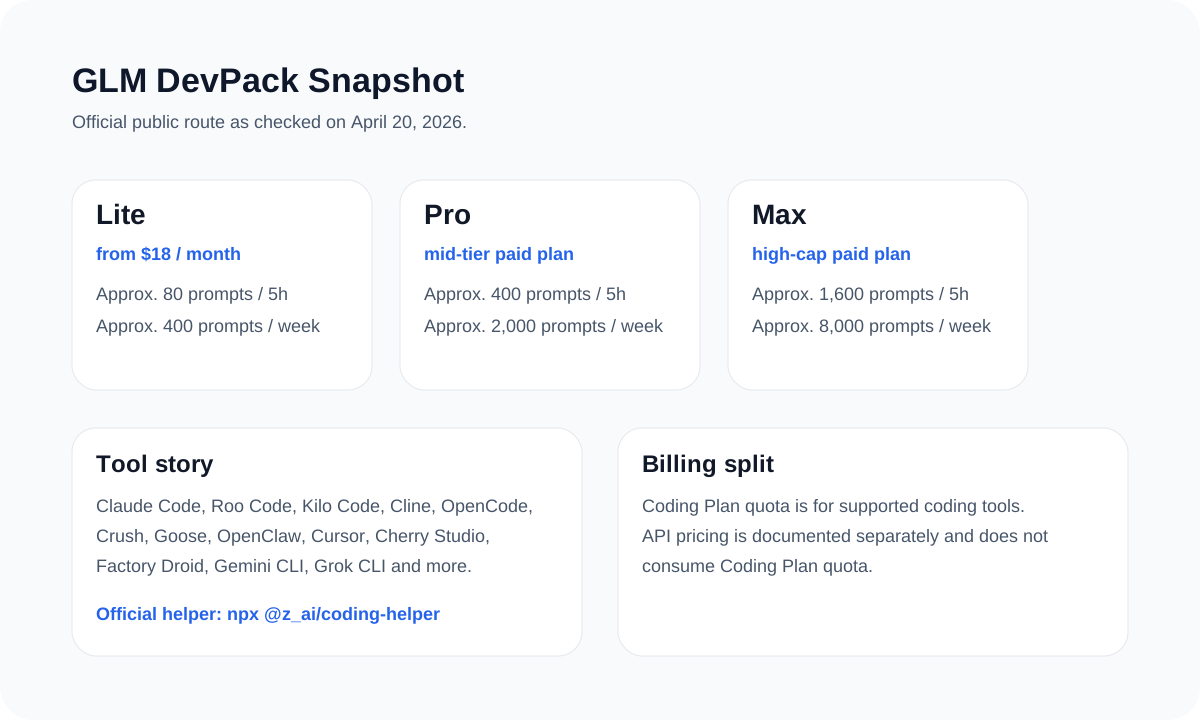
What the public docs actually confirm
| Public page | What it confirms | Why it matters |
|---|---|---|
| DevPack overview | GLM works across multiple coding tools, including CLI-oriented ones | This is the best high-level public proof |
| Coding Tool Helper | Official helper route via `npx @z_ai/coding-helper` | Best first step for new users |
| OpenCode page | OpenCode is officially covered | Shows GLM is not limited to one client |
| OpenClaw page | OpenClaw is officially covered | Strong evidence for agent and terminal usage |
| GLM-5.1 coding-agent guide | Public base URLs, model names, and config fields | Best source for a practical setup example |
Best setup path today
Start with Coding Tool Helper
If you do not already have a preferred client, run `npx @z_ai/coding-helper` first. It is the fastest official way to land on a supported path.
Pick the tool that matches your workflow
OpenClaw and OpenCode are the strongest public routes if you want a terminal or agent-heavy story. Claude Code is strong if you already live there.
Use the coding-route base URL when the doc says to
For OpenAI-compatible coding routes, the strongest public example is `https://api.z.ai/api/coding/paas/v4` with the model you actually intend to run.
npx @z_ai/coding-helperOPENAI_BASE_URL=https://api.z.ai/api/coding/paas/v4
OPENAI_API_KEY=YOUR_ZAI_API_KEY
OPENAI_MODEL=glm-5.1Start from the supported tool route, not from a missing download page
That is the fastest way to get a correct GLM setup and the safest way to write a public article about it.
Sources and official links
Frequently asked questions
Does GLM have an official helper?
Yes. The public helper route is `npx @z_ai/coding-helper`.
Which CLI-style tools does GLM clearly support?
The public docs clearly cover OpenClaw, OpenCode, Claude Code, and Coding Tool Helper, with the broader support list visible in DevPack.
Can I simply say GLM has an official CLI?
That is riskier than the public docs justify. A safer and more accurate line is that GLM supports multiple CLI and agent workflows through officially documented tools.