Best AI Coding Plan in 2026? Choose by Route, Tool, and Budget
If you searched for the best AI coding plan, skip the fake one-number ranking. The useful answer is route-first: GLM is the cleanest coding subscription, MiniMax has the clearest plan table, Kimi splits into a coding product and API platform, MiMo is strongest when billing flexibility matters, and Qwen is strongest when benchmark evidence and first-party CLI coverage matter most.
- The best plan depends more on route and workflow than on raw model hype.
- GLM, Kimi, MiniMax, MiMo, and Qwen do not package access in the same way.
- The safest buying flow is route first, tools second, price third, official page last.
Why most “best AI coding plan” articles are not useful
Different providers optimize for different buyer questions. If you ignore that and force a single global winner, you usually end up comparing unrelated units: prompts, requests, subscriptions, token pricing, and tool fees.
A better buying guide starts by asking what the reader is trying to buy, not which provider has the loudest social buzz on X this week.
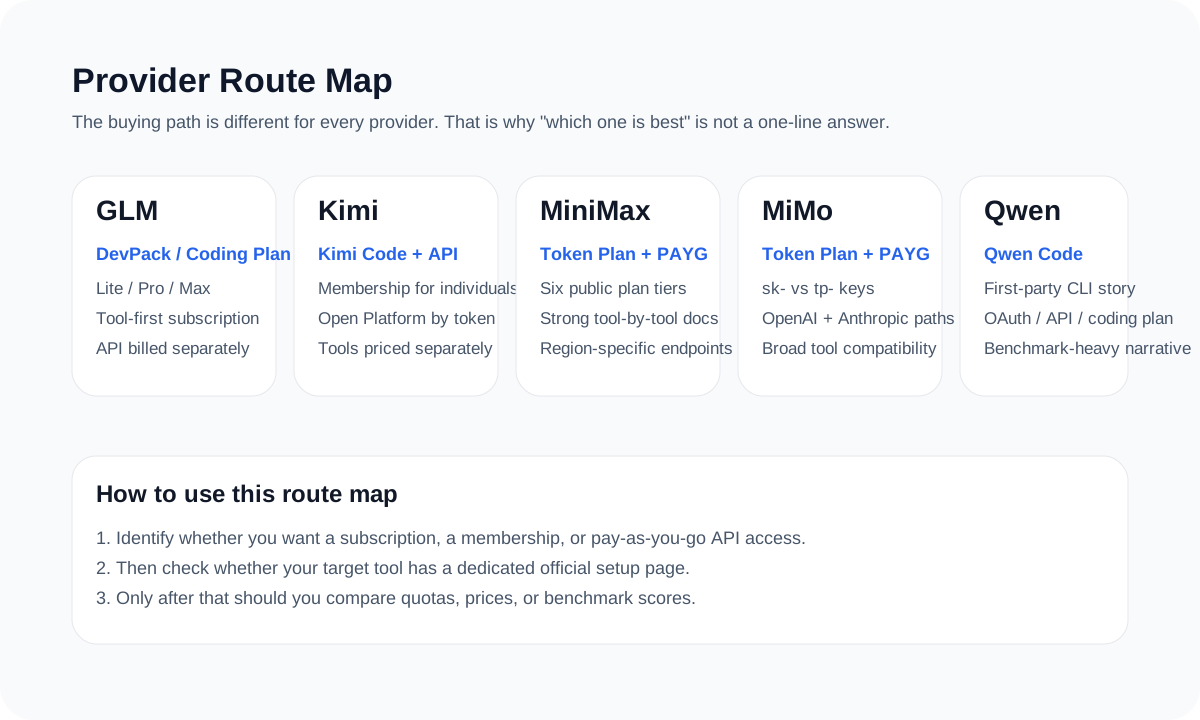
Pick the plan by the route you actually need
| If you need... | Best first stop | Why |
|---|---|---|
| A simple coding subscription with broad tool support | GLM | It is the easiest plan-first route to explain |
| The clearest public package table plus multimodal value | MiniMax | Its Token Plan table is unusually transparent |
| A consumer coding product plus a separate API platform | Kimi | Kimi Code and Moonshot Open Platform are both official, but they solve different needs |
| Flexible billing across PAYG and Token Plan with compatible endpoints | MiMo | Its route split is the key decision, not the model label |
| Benchmark-first coverage plus a first-party CLI story | Qwen | The official benchmark and Qwen Code docs are the strongest public evidence |
How to use benchmarks and social buzz without getting lost
Benchmark charts and X posts are useful filters. They tell you what is worth checking. They are not the checkout page.
The final answer should still come from the provider’s pricing page, plan docs, supported tools, and usage limits.
The four-step buying flow that avoids most mistakes
Step 1: Identify the route
Subscription, Token Plan, membership, or PAYG API are not the same product.
Step 2: Check tool coverage
Make sure your actual tool is on an official setup path.
Step 3: Compare the real cost unit
Prompts, requests, tokens, and tool fees should not be collapsed into one fake number.
Step 4: Open the current official page
That is where the final pricing, limits, and availability need to be checked.
Use this page to narrow the field, then switch to the provider-specific guide
That is the fastest way to keep the article practical without overloading it with every possible edge case.
Sources and official links
Frequently asked questions
Is there one universal “best coding plan” right now?
No. There are better fits for different routes: GLM for subscription clarity, MiniMax for public package transparency, Kimi for dual consumer/API paths, MiMo for route flexibility, and Qwen for benchmark-first coverage.
If I mainly use Claude Code, Cursor, or OpenCode, where should I look first?
Start with the provider that has the clearest public docs for your exact tool. Today that often means MiniMax or GLM, depending on whether you care more about docs depth or plan clarity.
What is the point of this guide if each provider already has its own page?
This guide helps readers pick the right starting point quickly. The provider-specific guides do the detailed work after that.